Stop hand-fixing terminal output. Paste-ready tables in one pass.
Clean text by hand a few times a day? That's dozens of hours a year. PipeCleaner strips the junk and hands back readable text and tables the moment you paste.

Launch month | 25% off $19.99 $14.99 one-time
The moment it's built for
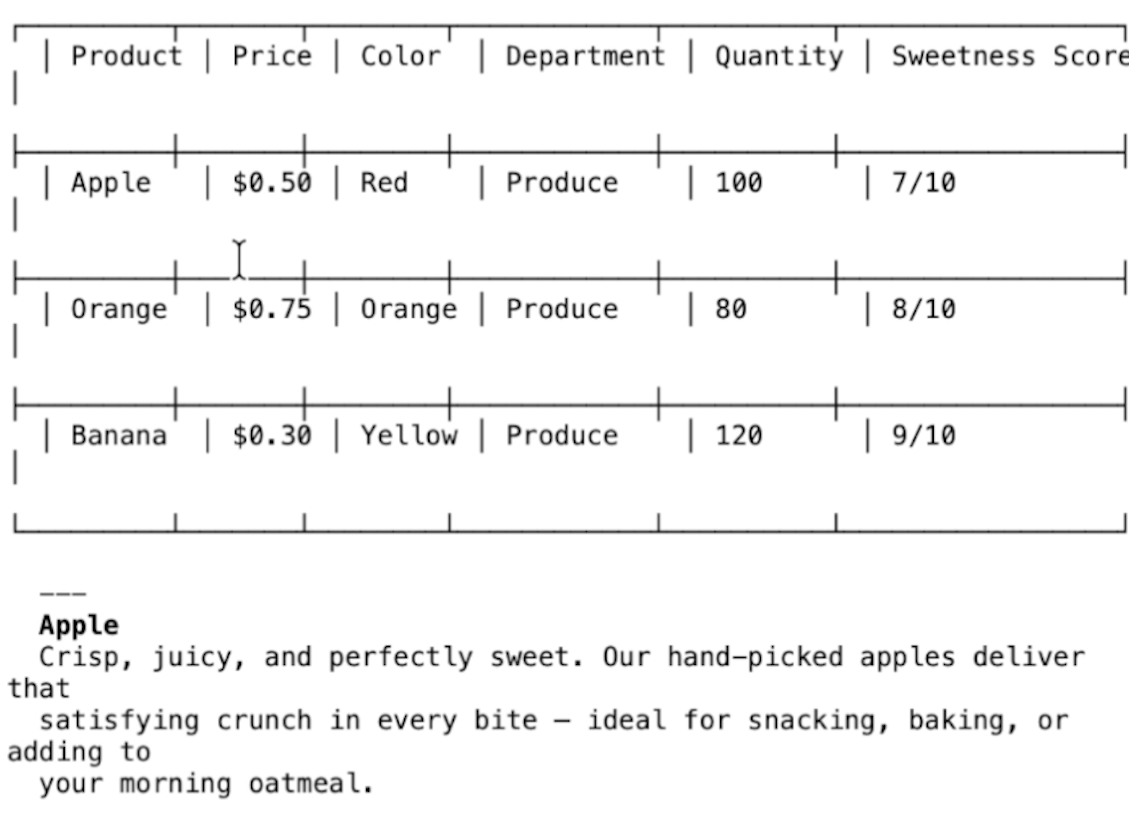
You copy a query result out of terminal, paste it into Teams, and it lands as a jumble of pipes, dashes, and misaligned columns. You paste AI output into a doc and spend two minutes deleting em-dashes and smart quotes. You grab a log snippet for a bug report and it's wrapped in ANSI color codes and timestamp noise.
Do that a handful of times a day and it's dozens of hours a year spent reformatting text by hand.
Every transform runs locally on your Mac. PipeCleaner makes zero network connections. No analytics, no telemetry, no cloud.
Sixty seconds, start to clean
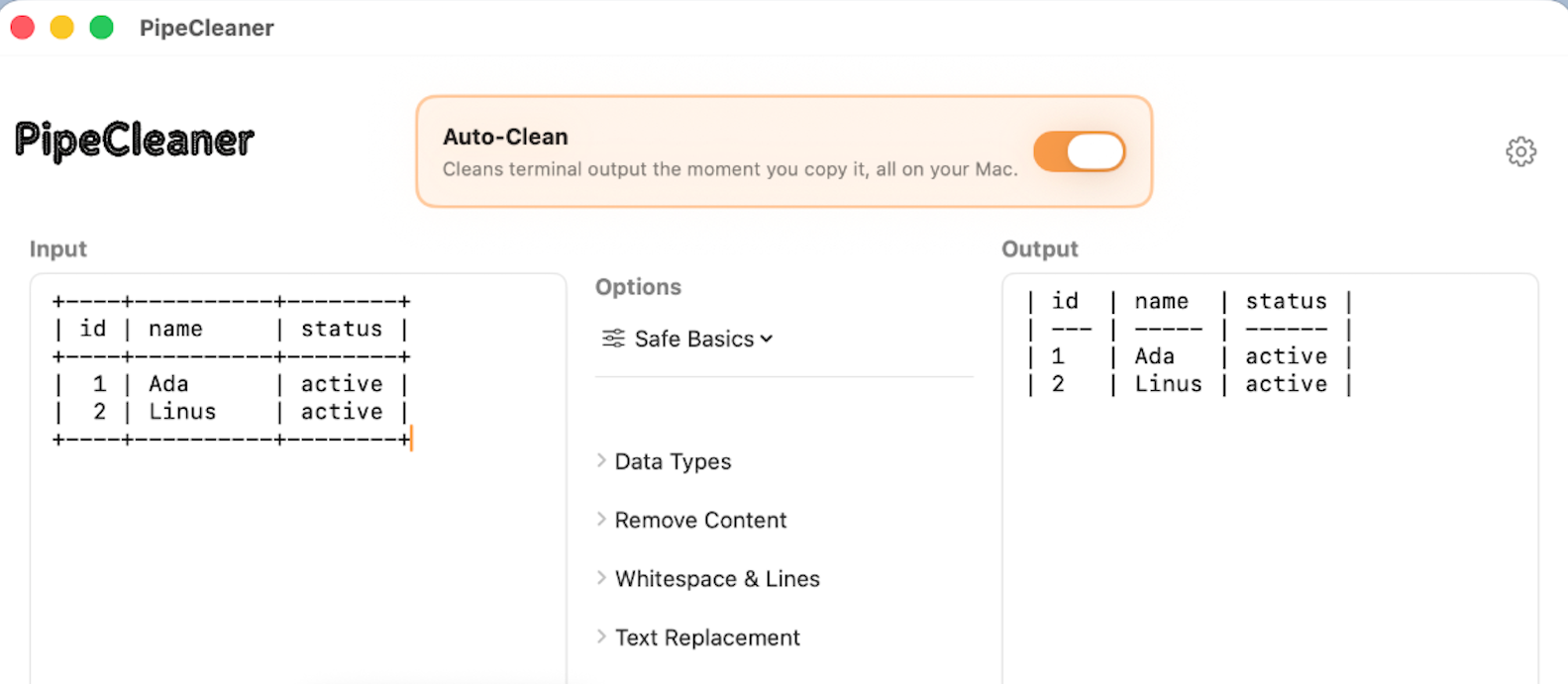
See a messy terminal dump go in and paste-ready text come out.
What it does
Every transform is a toggle with a live side-by-side preview. Use exactly the set you need.
Fixes broken tables
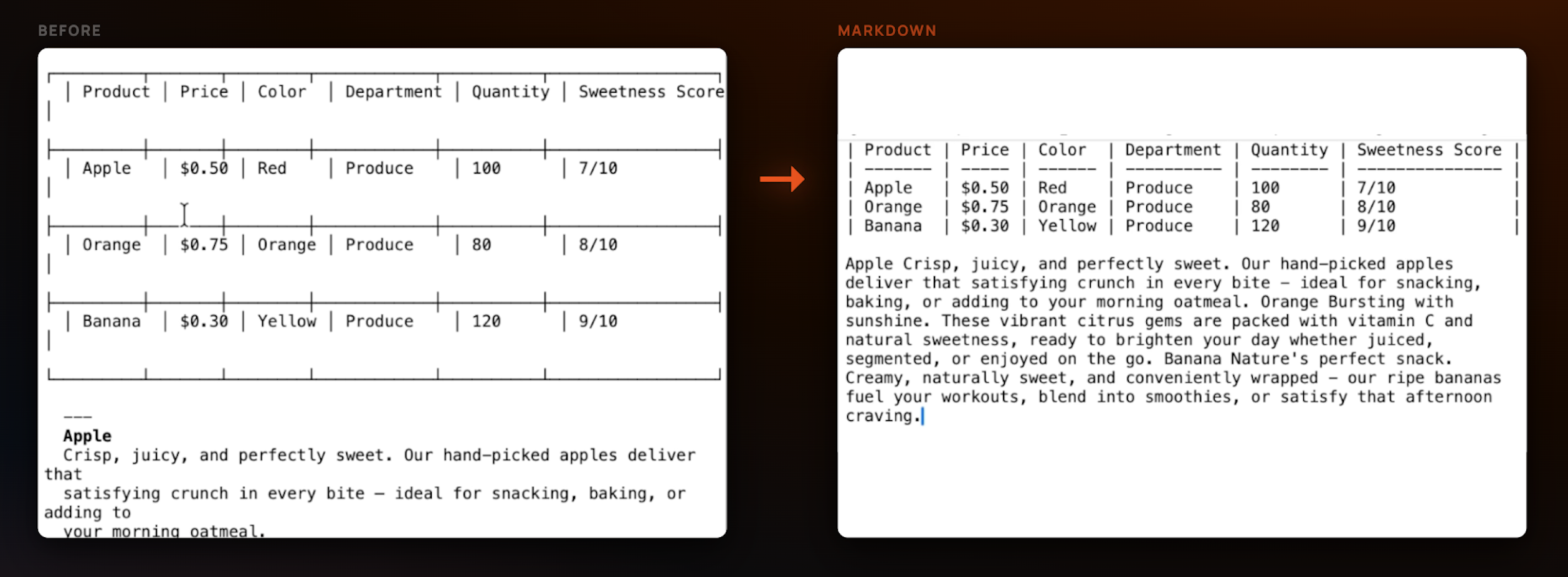
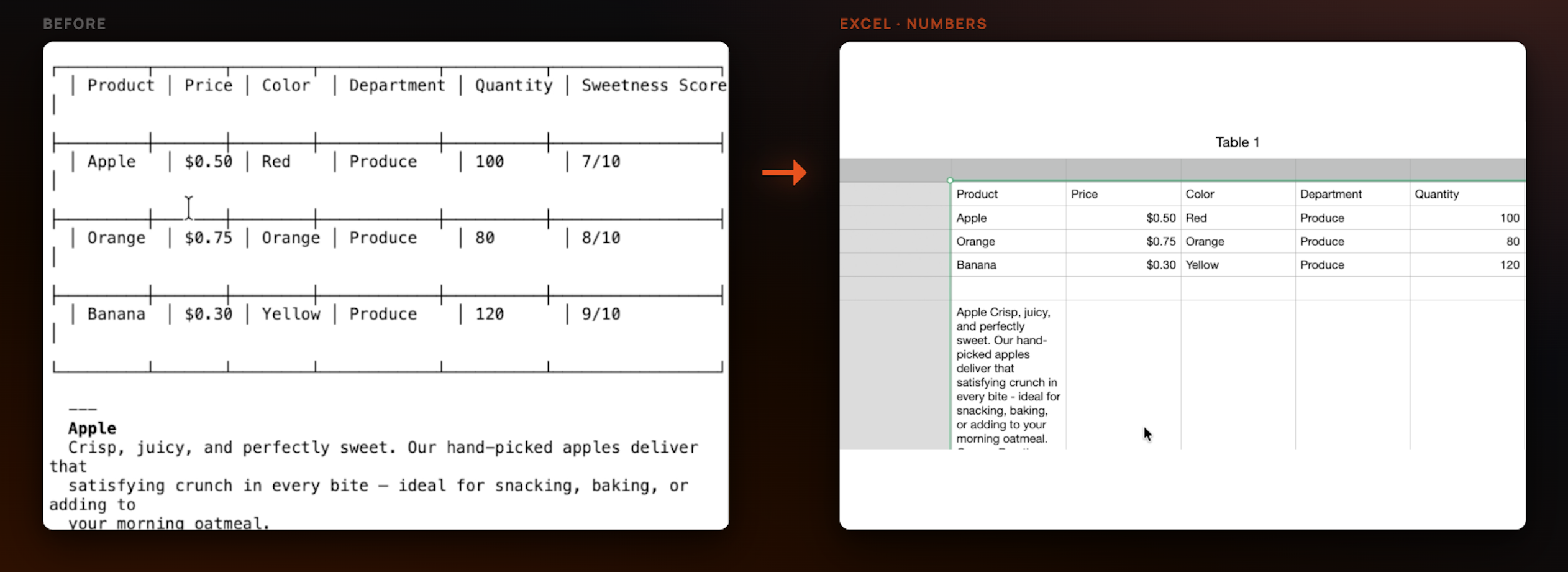
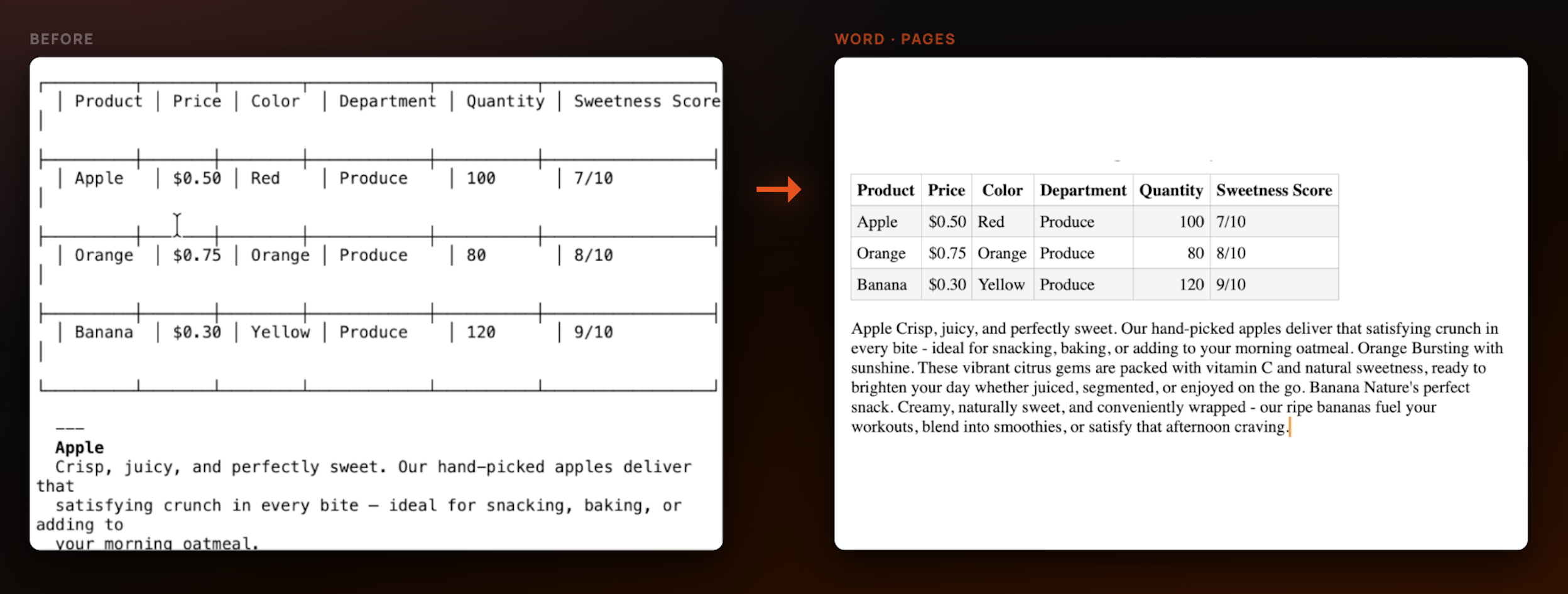
Detects ASCII tables from psql, MySQL, Docker, and friends — and reformats them as Markdown, CSV, TSV, JSON, LaTeX, or clean Word/Pages-ready tables. Wrapped rows get merged back together.
Strips terminal noise
ANSI color codes, shell prompts, log prefixes, box-drawing decorations, stray pipes, and line numbers | gone in one pass.
Tidies AI output
Replaces em-dashes and smart quotes, converts box callouts, unescapes quotes, and normalizes whitespace so pasted LLM text reads like you wrote it.
Cleans on your terms
Every transform is a toggle with a live side-by-side preview. Sort lines, remove duplicates, strip HTML, format JSON, trim trailing whitespace — use exactly the set you need.
Auto-Clean from the menu bar
Flip one switch and text copied from Terminal, iTerm2, Ghostty, Warp, or VS Code is cleaned the moment it hits your clipboard. One-click undo if it ever touches something it shouldn't.
Nothing leaves your Mac
Zero network connections. No analytics, no telemetry, no cloud, every transform runs locally. No third-party SDKs at all.
One messy table, every format you need
Paste a wrapped ASCII table and copy it back out as Markdown, a spreadsheet, or a word-processor table, whatever the destination wants.
Why you'll want this
Drop query results into Teams, Notion, or GitHub as proper Markdown tables. No more wall of misaligned pipes.
Turn ANSI-soaked log excerpts into readable text before they land in an issue.
Strip em-dashes, smart quotes, and box callouts so LLM output reads like you wrote it.
Pipe straight from psql, logs, or your AI CLI to a clean clipboard. No hand-fixing, no detours.
Built by a developer who got tired of hand-fixing every table pasted into Teams and GitHub. I use it every day.
No tokens required. Converting one small table (35 rows, 7 columns) from pipes to Markdown through Claude Code cost about $0.41. PipeCleaner does the same thing on your Mac, in milliseconds with a one time purchase.
Sandboxed Mac App Store app with zero network entitlement. Don't take our word for it, check Activity Monitor or Little Snitch.
What people are saying
"The local-first approach is exactly what I want for working with messy log dumps."
— Nuray
"Finally a clean-up tool that doesn't send my logs off to some stranger's API, and the Auto-Clean on copy actually works as advertised on my terminal dumps."
— Engin
"Great for copying tables into Teams."
— App Store review
"This genuinely saves me so much time, thanks"
— App Store review
Frequently asked questions
Windows waitlist
PipeCleaner is Mac-only today. Drop your email to hear first when the Windows version lands.
Connection Information Suite
Four menu bar apps that surface what your Mac's connections are actually doing: USB speeds, audio routing, display signal, and network throughput. From the same developer.
Never hand-clean a paste again
Launch month | 25% off | $14.99 today, half off the regular $19.99. Pay once, own it forever, no subscription. Don't love it? Apple refunds you, no questions asked.